Kling 3.0 vs Veo 3.1: Same Prompt, Real Clips and Cost
When comparing Kling 3.0 and Veo 3.1 for an AI car commercial, this test found that Kling 3.0 kept the vehicle's overall shape, silver color, and wheel count consistent while showing minor grille and wheel distortion. Veo 3.1 produced a longer 8-second clip at 32 credits with more camera movement, but its wheel spokes warped and the rear taillight changed shape. Kling cost 73 credits for 5 seconds in this run; Veo used the veo3_lite setting.
Both models run on Kubflow with one credit balance: see Kling 3.0 prices and settings and Veo 3.1. If you want a finished ad instead of single clips, Auto ads makes one from your website or a product photo.
Choosing between these two video generation models for a premium automotive ad requires looking past their highlight reels. We ran the identical unbranded car brief through both models to see exactly how they handle rigid shapes, reflective surfaces, and continuous camera motion.
Both generations were executed as text-to-video runs with no start images. We evaluated the raw video for consistent car shape, believable wheel contact, controlled camera movement, and clean geometry.
What prompt gives both models a fair car-ad test?
A fair test for automotive video requires pushing the AI to handle a rigid structure moving through a 3D environment. Cars expose model flaws quickly because the human eye expects absolute symmetry and inflexible metal. If the perspective shifts incorrectly, the wheels warp or the chassis bends.
We asked both models for a low front three-quarter tracking shot moving into a side profile along a coastal road at golden hour. We explicitly requested an unbranded electric sports coupe with no people and restrained camera movement.
The visual criteria for this comparison are strict. We look for a consistent car shape and paint color from the first frame to the last. We check for believable road contact and natural reflections on the metallic surfaces. We also instruct the models to avoid specific things: people, logos, extra vehicles, and sudden cuts.
Create a premium automotive commercial for an unbranded [CAR TYPE AND COLOR] driving alone on a [LOCATION] at golden hour. Begin with a low front three-quarter tracking view, then smoothly follow the car through a sweeping bend as sunlight glints across the paint and wheels. Keep the vehicle's shape, color, and four wheels consistent throughout. Use realistic road contact, natural reflections, cinematic depth, restrained camera movement, and a clean aspirational mood. No people, logos, readable text, extra vehicles, sudden cuts, or distorted geometry.
Because neither model was given a reference image to trace, they had to generate the car design, the environment, and the camera path entirely from the text instructions.
How does Kling 3.0 handle the same car-commercial prompt?
Create a premium automotive commercial for an unbranded electric sports coupe driving alone on a winding coastal road at golden hour. Begin with a low front three-quarter tracking view, then smoothly follow the car through a sweeping bend as sunlight glints across the paint and wheels. Keep the vehicle's shape, color, and four wheels consistent throughout. Use realistic road contact, natural reflections, cinematic depth, restrained camera movement, and a clean aspirational mood. No people, logos, readable text, extra vehicles, sudden cuts, or distorted geometry.
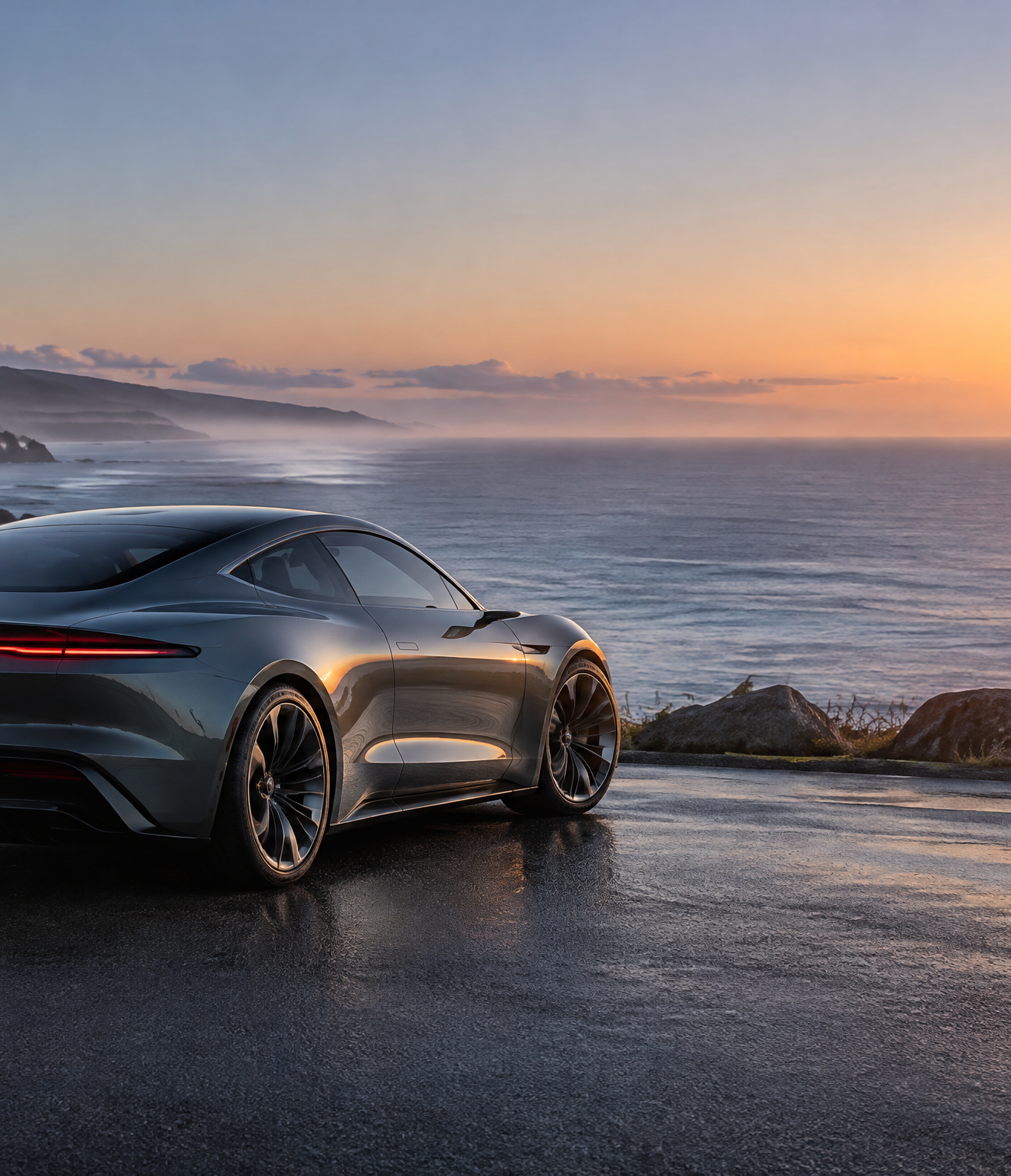
The Kling 3.0 model followed the environmental and camera instructions closely. The frames display a silver sports coupe driving on a coastal road at golden hour. Warm directional light reflects off the metallic paint, glass, and asphalt. The camera tracks from a low front three-quarter angle, progressing toward a side profile.
For vehicle consistency, the Kling 3.0 output is strong. The vehicle's overall shape, silver color, and wheel count remain consistent through the start, middle, and end frames as it navigates a curve. The model adhered to the requested car type, lighting, camera angle, and environment.
It did miss specific negative constraints. A driver is clearly visible inside the cabin despite the prompt specifying no people, and a small emblem appears on the hood despite the unbranded instruction. Visible flaws exist in the rigid geometry. The lower front bumper grille geometry changes slightly between the first and third frames, and the wheels show minor shape distortion within the motion blur of the final frame.
We used specific settings in the Kubflow Video generator for this run. We set the duration to 5 seconds, the mode to 'std' for 720p output, the aspect ratio to 16:9, and sound to False. This generation cost 73 credits.
The Kling 3.0 model page notes that the model delivers strong motion and keeps text and labels from a start frame best among the video models. When prompting Kling 3.0, the guide suggests keeping the text under 2,500 characters. For single shots, it recommends starting with 'One continuous long take without any cuts' followed by the subject, one main action, camera, light, and audio instructions.
How does Veo 3.1 handle the same car-commercial prompt?
Create a premium automotive commercial for an unbranded electric sports coupe driving alone on a winding coastal road at golden hour. Begin with a low front three-quarter tracking view, then smoothly follow the car through a sweeping bend as sunlight glints across the paint and wheels. Keep the vehicle's shape, color, and four wheels consistent throughout. Use realistic road contact, natural reflections, cinematic depth, restrained camera movement, and a clean aspirational mood. No people, logos, readable text, extra vehicles, sudden cuts, or distorted geometry.
Google Veo 3.1 built the requested environment accurately. The video features a silver sports coupe driving on an asphalt coastal road bordered by cliffs and water. Lighting mimics golden hour, producing sun flares and reflecting off the car's metallic surfaces. No text is visible anywhere in the shot.
The camera movement in the Veo 3.1 generation is more ambitious. The camera tracks from a low front three-quarter angle to a side profile, concluding with a rear tracking shot. The vehicle's silver color and general shape remain consistent during this extended motion.
While the output follows most prompt instructions regarding the camera path and lighting, it struggled with structural geometry. Like Kling, it missed the unbranded request by hallucinating a small badge shape on the hood. More importantly, it failed the instruction prohibiting distorted geometry.
The wheel spokes in the middle frame exhibit melted warping mixed with motion blur. Furthermore, the rear taillight shape alters slightly between the side and rear angles. Cars require absolute structural rigidity, and these warped elements limit the usability of the raw footage.
For this generation, we used the 'veo3_lite' setting, which the Google Veo 3.1 model page prompt guide identifies as the cheapest option for drafts. We set generationType to TEXT_2_VIDEO, resolution to 720p, enableFallback to False, and enableTranslation to True. This 8-second clip cost 32 credits.
The Veo 3.1 model sits mid-pack on quality leaderboards, which aligns with our findings regarding structural consistency. The Veo 3.1 prompt guide recommends writing 50-150 words in English. The suggested order is camera and shot, subject, action, place, and style. You should describe what should be absent positively rather than relying entirely on negative prompts.
Which model should you use for your next car ad?
Based on this single run, Kling 3.0 is the stronger candidate when vehicle consistency matters more than clip length and cost: it kept the overall shape, silver color, and wheel count consistent, with grille and wheel artifacts. This run cost 73 credits for 5 seconds in std mode. Test additional takes before treating that result as a general production rule.
In this run, Veo 3.1 produced an 8-second clip for 32 credits in veo3_lite and covered more camera movement. It also showed warped wheel spokes and a changing rear taillight. Its lower per-clip cost can make it useful for draft iterations, but this test does not establish how many variations a production would need.
| Feature | Kling 3.0 (std) | Veo 3.1 (lite) |
|---|---|---|
| Prompt Adherence | Missed negative constraints | Missed negative constraints |
| Vehicle Consistency | Consistent body and color | Consistent silver color and general shape; taillight changes slightly |
| Camera Motion | Precise tracking to side profile | Extended tracking to rear view |
| Visible geometry flaws | Lower front bumper grille changes slightly between the first and third frames; wheels show minor shape distortion in the final-frame motion blur | Wheel spokes show melted warping in the middle frame; rear taillight shape changes slightly between the side and rear angles |
| Clip Length | 5 seconds | 8 seconds |
| Cost per generation | 73 credits | 32 credits |
Both models run from the same credit balance in Kubflow. A Kubflow subscription starts at $19 a month. The Growth plan provides 4,500 credits for $49 a month, which works out to about $0.011 per credit. Every generation shows its exact price before it runs, so you can manage your budget across different tools.
To run this text-to-video test yourself, open the Video generator. Select either Kling 3.0 or Google Veo 3.1 from the model dropdown, paste your prompt, and verify the settings. A new account gets free tries, including 1 video generation, before requiring a paid plan.
If you already have a product photo of your vehicle, you can use a starting frame instead of text-only generation. Open the Video generator and use the image-to-video tools to animate it. Both Kling 3.0 and Veo 3.1 support start-frame workflows. This comparison used prompt-only runs, so it does not measure how either model preserves a supplied car photo.
Questions
Is Kling 3.0 or Veo 3.1 cheaper for AI video generation?
In Kubflow, Veo 3.1 costs 32 credits for an 8-second clip using the lite setting. Kling 3.0 costs 73 credits for a 5-second clip at 720p using the standard setting.
Can Veo 3.1 animate a car photo?
Yes. Veo 3.1 supports image-to-video. This comparison used prompt-only runs, so it does not measure how well it preserves a supplied car photo.
How do I generate silent B-roll with Kling 3.0?
Set sound to false. The Kling 3.0 prompt guide says sound: false keeps B-roll silent.